Keep Every Script Change Synced Across Schedule, Budget, and Call Sheets
Coordinate crew, control budgets, manage vendor POs, and shoot on schedule. One platform connects your production office, finance team, and on-set department heads — from script breakdown through DCP delivery.

Problems We're Built to Solve
These aren't edge cases — they happen every day in operations like yours.
Budget Overruns with No Early Warning
Department spends are tracked on spreadsheets updated weekly, if at all. By the time finance consolidates the numbers, the production is already over budget — and the only option is to cut.
PO and Contract Bottlenecks
Vendor agreements and purchase orders move over email with no audit trail. Payment disputes, duplicate POs, and unsigned agreements create delays that cost shoot days.
Script Revisions Break the Whole Operation
A single page change means the breakdown, the schedule, the budget top-sheet, and the crew call sheets all need to be updated — in four separate tools, by four different people.
Department Heads Are Flying Blind
Art, camera, and production departments track their own schedules and spends in silos. Conflicts surface on set, not in the production office where they can be resolved cheaply.
Payroll for Daily Crews Is a Monthly Nightmare
Daily workers, weekly-rated crew, overtime, turnaround violations, and TDS — all calculated manually in Excel by someone who has to get it right or face union escalation.
Props and Equipment Move with No Record
Costumes, props, and rented equipment shift between locations, departments, and shooting days with no system of record. Loss and damage are discovered — and disputed — during wrap.
How These Problems Compound →
Script Revision Arrives
New scenes, location changes, cast swaps
Manual Re-Work Begins
4 separate tools updated by hand over 2 days
Budget Surprise
New costs not in top-sheet until week later
Emergency Schedule Cut
Scenes dropped to protect budget
Creative Compromise
Key shots lost to cost pressure
Overrun + Overburn
Completion bond triggered; investor relations strained
See It In Action
Movie Production in Action
Real screens from the product, not mockups.
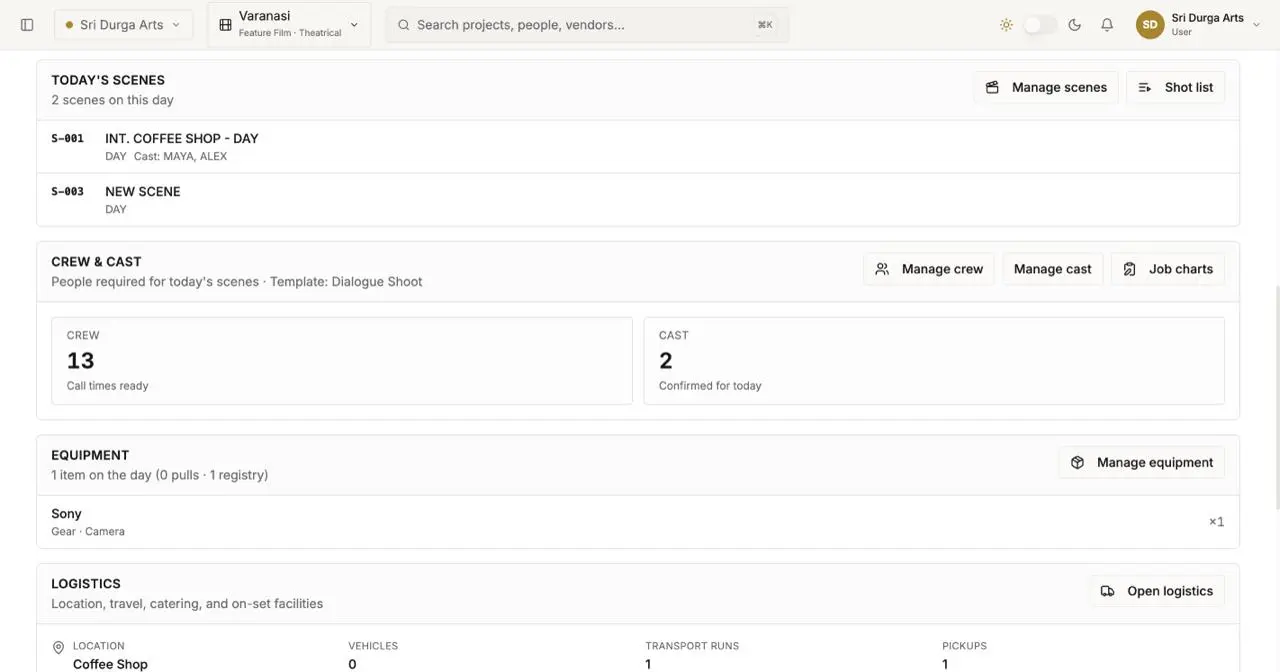
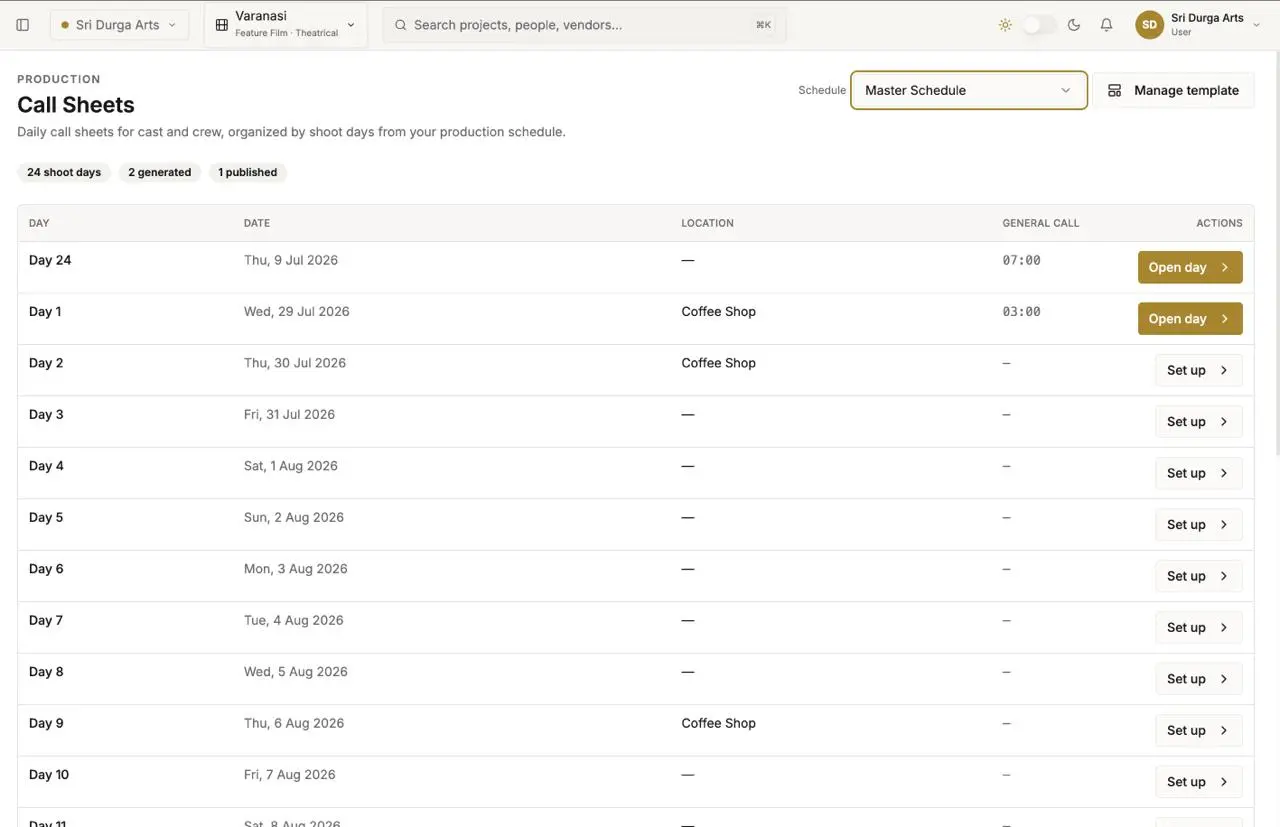
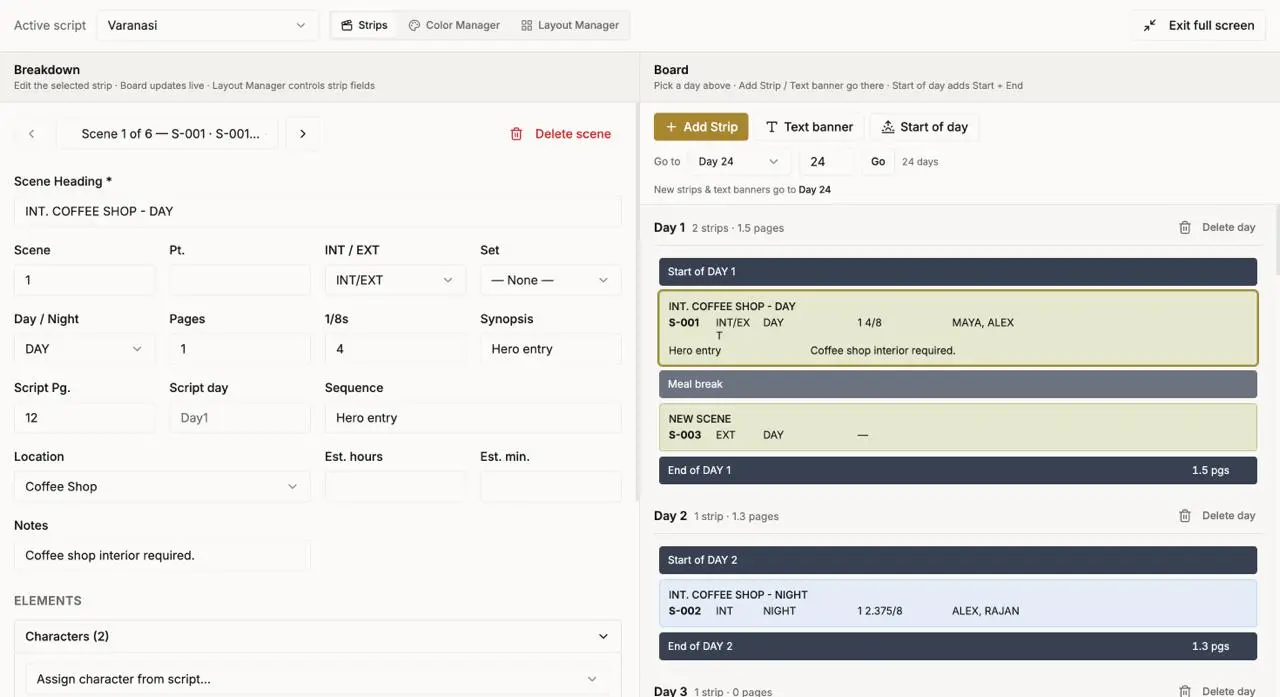
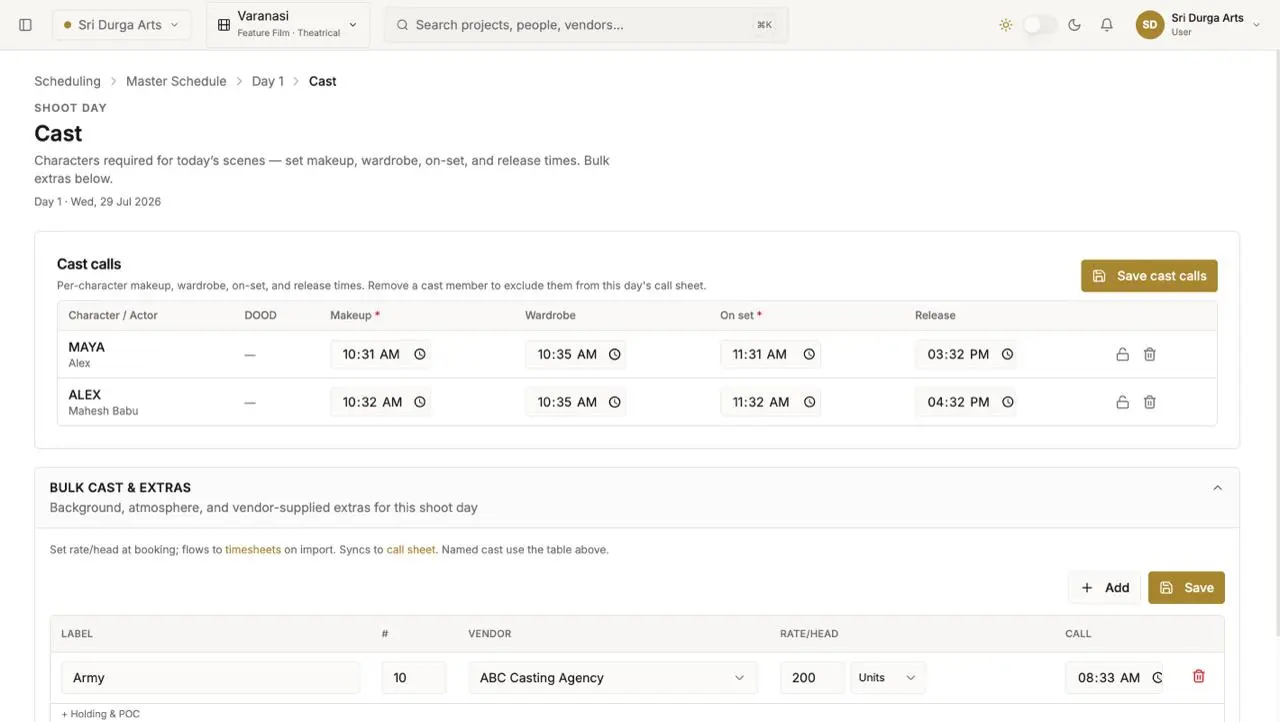
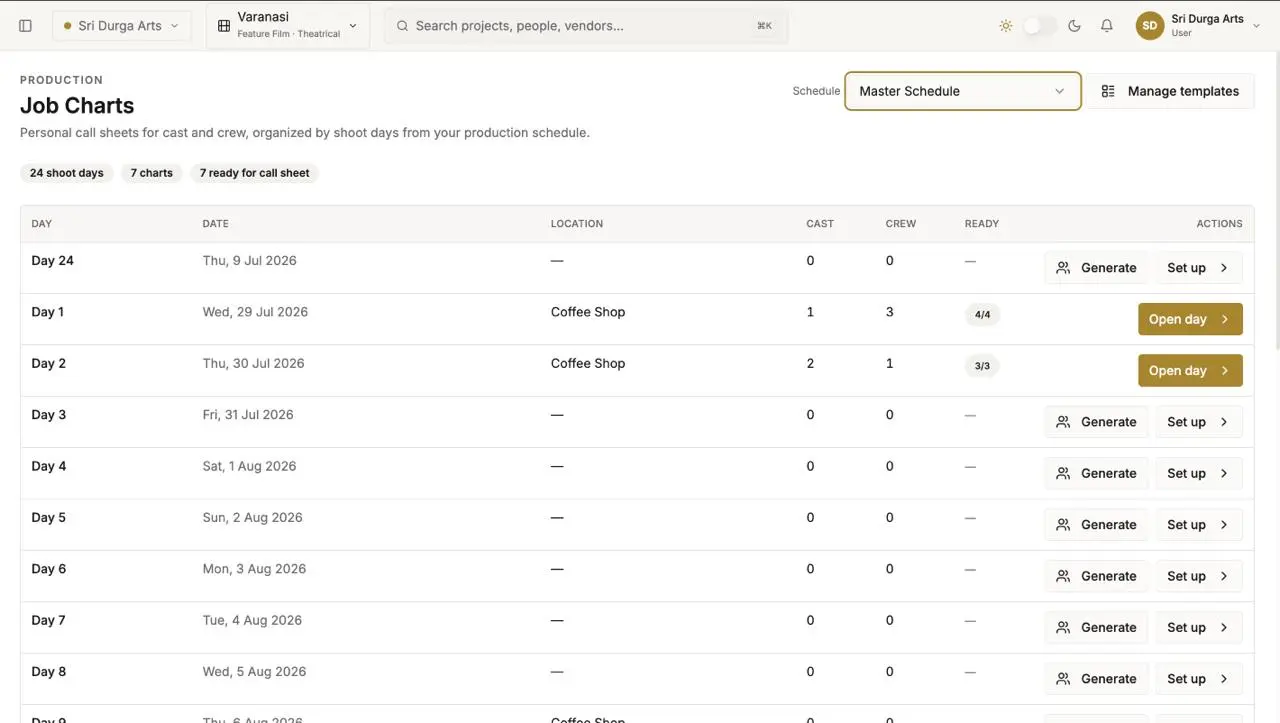
From Script Revision to Updated Call Sheets — in Minutes
Watch how a single script change propagates through the production office without a single manual re-entry.
Everything Your Movie Production Business Needs
All modules ship pre-configured for your industry. Connected, maintained, and supported by a single team.
How the Modules Connect
Module Spotlight
Production Scheduling
Feeds Script Breakdown with: Scene strips
Script Breakdown
Import scripts, auto-tag elements by department, and generate breakdown reports instantly — updated with every revision.
- FDX and PDF script import with auto-element tagging
- Department-level breakdown reports: cast, props, locations, VFX
- Revision tracking with diff highlighting per scene and department
Production Scheduling
Strip-board scheduling with one-click day-out-of-days, weather holds, and location conflict detection.
- Drag-and-drop strip board with automated DOOD reports
- Location conflict detection and travel-time buffering
- Weather hold management with rescheduling workflow
Budget & Cost Tracking
Top-sheet budgets, department cost codes, real-time actual vs. estimated variance, and completion bond reporting.
- Top-sheet to cost-code budget mapping per department
- Real-time actual vs. estimate variance with spend-to-date
- EFC (Estimated Final Cost) tracking for completion bond reporting
Vendor & Procurement
Vendor database, quote comparisons, PO creation with approval workflows, 3-way matching, and payment scheduling.
- Digital PO with configurable multi-level approval routing
- 3-way matching: PO / Delivery receipt / Vendor invoice
- Vendor payment scheduling with TDS deduction and Form 16A generation
Crew Management
Crew database, deal memos, availability tracking, call sheet generation, and department hierarchy management.
- Deal memo templates by role, union, and rate type
- Availability calendar with hold and confirm workflow
- Call sheet auto-generation from schedule with department-level distribution
Production Payroll
Daily and weekly payroll with union rules, OT and turnaround calculation, TDS compliance, and bank disbursement.
- Daily rated, weekly rated, and contract payroll in one system
- OT and turnaround violation calculation per guild rules
- Bank disbursement file generation with TDS certificates
Asset & Props Management
Props, costumes, vehicles, and equipment catalogued with location tracking, condition logs, and rental cost analysis.
- QR-coded asset catalogue with location and condition tracking
- Rental vs. purchase cost analysis by department
- Damage claim workflow with photographic evidence capture
Post & Dailies Workflow
Footage logs linked to shoot reports, editorial milestones, VFX deliverables, and DCP delivery tracking.
- Daily footage log with scene and take metadata
- Editorial milestone tracking: picture lock, colour, sound mix, DCP
- VFX vendor deliverable schedule with version tracking
Without It vs. With It
The same operation, before and after — in the terms your team actually uses.
Budget Tracking
Excel top-sheets updated weekly; department actuals reconciled by finance 7–14 days late; overruns discovered after the fact
Real-time cost-code actuals vs. estimates; department-level EFC updated daily; alerts fired before overrun becomes irreversible
Script Changes
Manual update of schedule, budget, and crew lists across 4 separate tools; 1–2 day process prone to errors and omissions
Single script import propagates changes to breakdown, schedule, budget variance, and draft POs automatically
Vendor POs
Email-based approval with no audit trail; duplicate POs common; payment disputes frequent at wrap
Digital PO with multi-level approval; 3-way matching before payment; full audit trail per vendor
Call Sheet Preparation
Production coordinator builds call sheets manually in Word or Excel; 2–4 hours per day; version control issues
Auto-generated from schedule data; department-specific views; distributed with one click
Crew Payroll
Manual time sheets; OT calculated individually; TDS handled in a separate payroll tool; errors resolved by calls
Rule-based OT and turnaround calculation; TDS auto-deducted; bank disbursement file generated on approval
Your Path to Go-Live
A structured, supported implementation — not a DIY project.
Week 1
Finance Setup
Week 2
Script & Schedule
Week 3
Crew & Vendors
Week 4
Pilot Production
Week 5
Full Go-Live
- Chart of accounts and cost codes configured
- Top-sheet budget template built
- Vendor master and payment terms imported
- Script breakdown template configured
- Strip-board and DOOD templates ready
- First production script imported and tagged
- Crew database migrated from spreadsheets
- Deal memo templates configured by role
- Vendor onboarding and PO workflow live
- Full pilot on one active production
- Call sheet and payroll run in parallel
- Issues resolved before full rollout
- All productions migrated to platform
- Production office staff fully trained
- 30-day hypercare support begins
Week 1
Finance Setup
- Chart of accounts and cost codes configured
- Top-sheet budget template built
- Vendor master and payment terms imported
Week 2
Script & Schedule
- Script breakdown template configured
- Strip-board and DOOD templates ready
- First production script imported and tagged
Week 3
Crew & Vendors
- Crew database migrated from spreadsheets
- Deal memo templates configured by role
- Vendor onboarding and PO workflow live
Week 4
Pilot Production
- Full pilot on one active production
- Call sheet and payroll run in parallel
- Issues resolved before full rollout
Week 5
Full Go-Live
- All productions migrated to platform
- Production office staff fully trained
- 30-day hypercare support begins
Go-Live
Impact You Can Put on a Slide
Benchmarked against customers in their first year. Results typically visible within the first 90 days.
"On our last production we cut schedule prep time by 4 days and caught a ₹22 lakh budget variance before it turned into a conversation with the financiers. The production office ran like clockwork — producers could focus on the film, not the paperwork."
Film Production House
Line Producer, Independent feature film production banner
Feature film, ₹28Cr budget