How to Grow a Grocery/Kirana Store Business in India
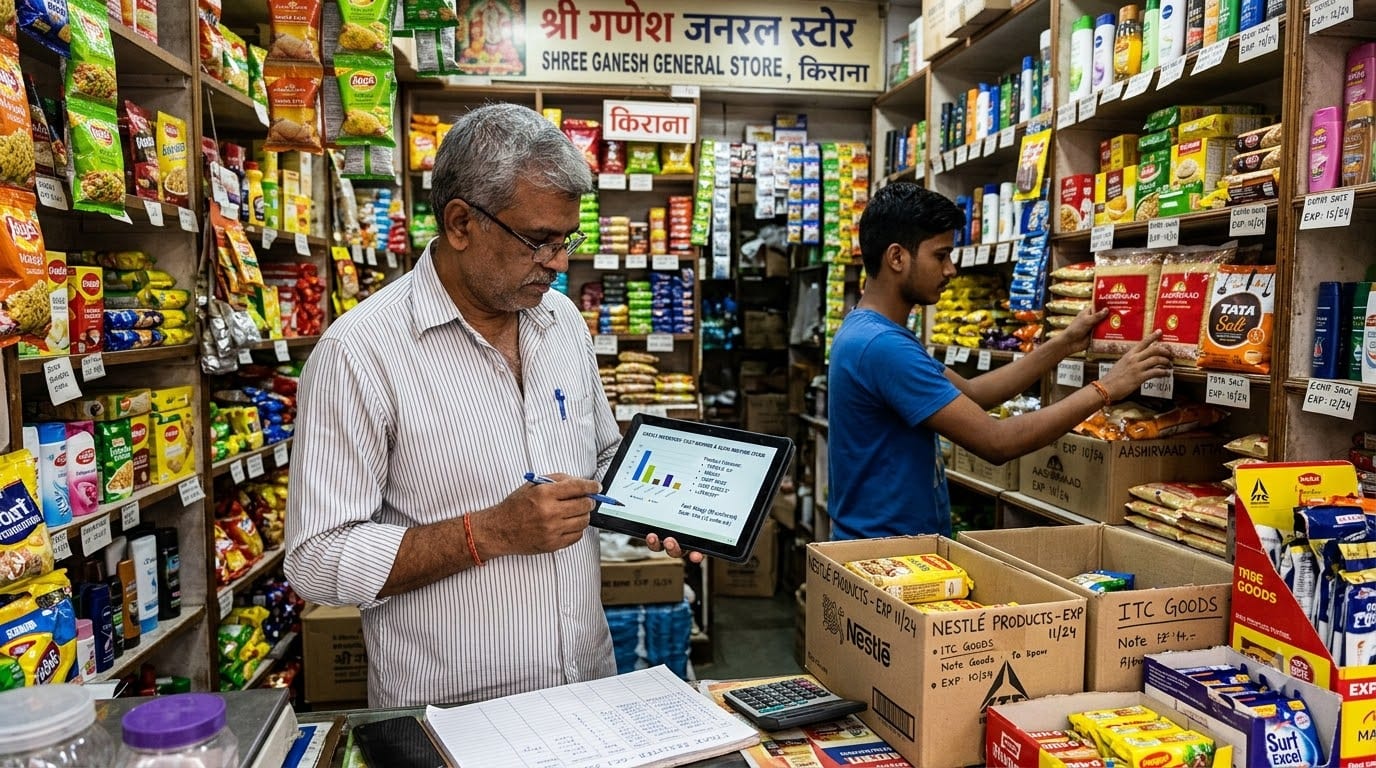
Starting a grocery or kirana store begins with choosing the right location, understanding local demand, completing the required registrations, building supplier relationships, and stocking products customers buy regularly.
If you are still planning your store, selecting a location, arranging licenses, budgeting for inventory, or setting up suppliers, begin with the guide below.
Related Guide:
How to Start a Grocery/Kirana Store Business in India
Use this guide to understand:
- Choosing the store model
- Local market research
- Location and rental planning
- FSSAI, GST, and other registrations
- Startup investment
- Store infrastructure
- Supplier and inventory setup
- Billing and daily operations
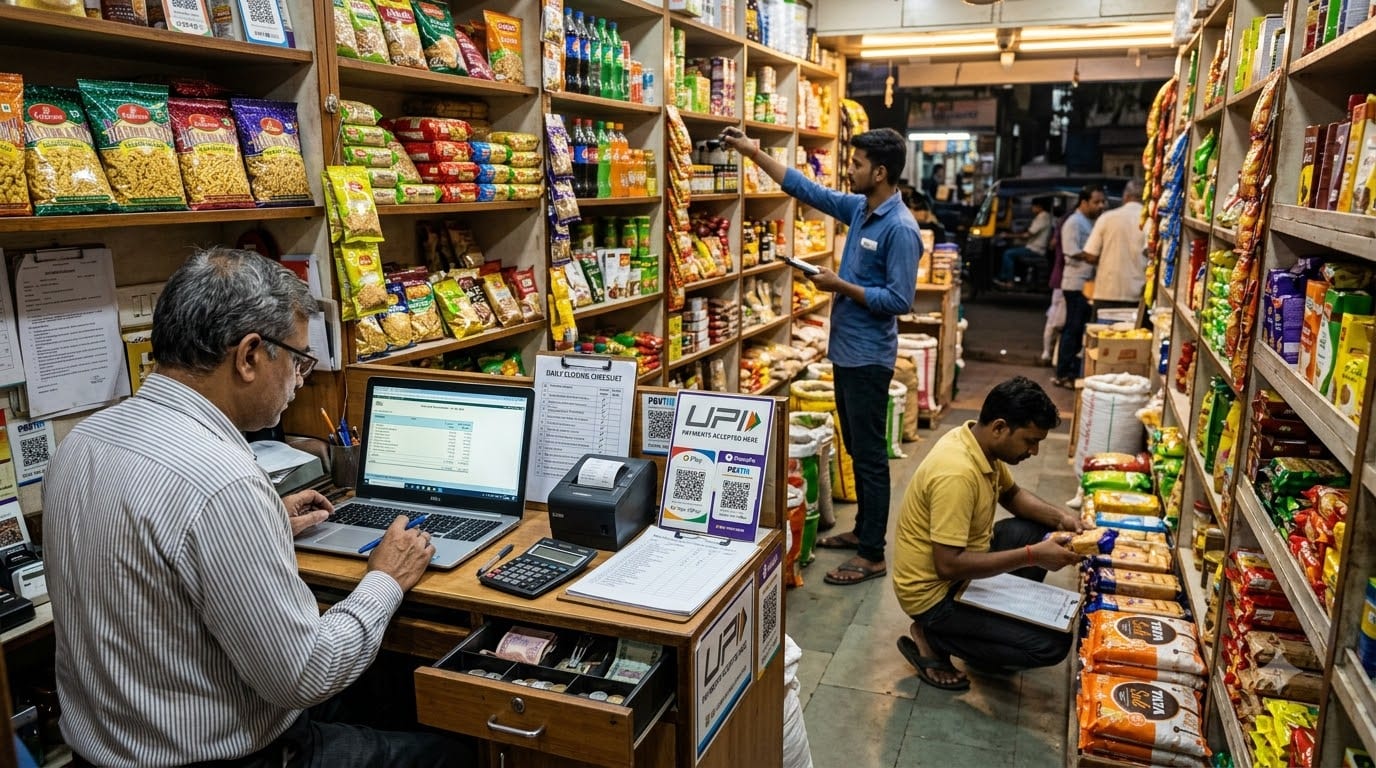
Once the store is open, the next challenge is growth. Growing a kirana store is not only about getting more customers. It means increasing average bills, improving repeat purchases, reducing stockouts and expiry losses, offering convenient delivery, managing supplier payments, and creating systems that help the store perform better every day.
This guide focuses on how to move from a basic neighborhood shop to a stronger, more profitable, and more organized grocery business.
Table of Contents
- Understand your current store performance
- Improve product mix and inventory turnover
- Increase average order value
- Build repeat customers and local loyalty
- Add delivery and digital ordering
- Improve supplier and purchasing control
- Protect margins and cash flow
- Build staff-led store operations
- Use a Retail ERP to organize growth
- Prepare for a second store or larger format
1. Understand Your Current Store Performance
Before trying to grow, understand how the store is performing today.
Review the last three months and identify:
- Total daily and monthly sales.
- Number of bills.
- Average bill value.
- Best-selling products.
- Slow-moving products.
- Sales by category.
- Cash, UPI, card, and credit collections.
- Supplier purchases.
- Customer complaints and product requests.
A store may have high footfall but low average bills. Another may have good sales but too much money locked in slow-moving stock. These businesses need different growth strategies.
Use a simple performance table:
Metric | What it helps you understand |
|---|---|
Number of bills | Customer footfall and buying frequency |
Average bill value | How much each customer spends |
Category sales | Which product groups drive revenue |
Stock turnover | How quickly inventory moves |
Gross margin | Which categories contribute profit |
Stockouts | Where missed sales may be occurring |
Expiry losses | Where purchasing or rotation needs improvement |
Review this information every month. The objective is to stop making decisions only from memory.
For example, if customers visit frequently but buy only one or two products, you may need better product placement, bundles, or cross-selling. If one category sells out regularly, better forecasting and purchasing may create immediate growth.
2. Improve Product Mix and Inventory Turnover
Growth often comes from stocking the right products more consistently, not from filling the store with more products.
Separate your inventory into:
- Essential products: Rice, flour, pulses, oil, spices, milk, bread, and other regular needs.
- High-frequency products: Snacks, beverages, packaged foods, and household items.
- Higher-margin products: Personal care, cleaning products, specialty foods, and selected private-label items.
- Seasonal products: Festival ingredients, school supplies, monsoon products, or winter items.
- Slow-moving products: Items that occupy shelf space and block working capital.
Use sales data to decide what to reorder. Do not reorder every product using the same frequency or quantity.
A useful inventory routine is:
- Review fast-moving items every week.
- Set minimum stock levels for important products.
- Use FIFO—first in, first out—to sell older stock before newer stock.
- Check expiry dates during every stock review.
- Mark damaged and slow-moving goods separately.
- Negotiate smaller or more frequent deliveries for uncertain products.
FIFO rotation is widely recommended in grocery operations because it helps reduce expiry, overstock, and wastage.
Place products intelligently:
- Essentials at eye level or easy-reach shelves.
- Complementary products near related categories.
- Small impulse items near the billing counter.
- New or seasonal products at the entrance.
- Heavy products on lower shelves.
The goal is to make the store easier to shop in while improving product movement.
3. Increase Average Order Value
One of the simplest ways to grow a grocery store is to increase the value of each customer visit.
Start by understanding what customers commonly buy together.
Examples:
- Rice, flour, pulses, and cooking oil.
- Tea, sugar, biscuits, and snacks.
- Detergent, dishwashing liquid, and cleaning products.
- Bread, spreads, milk, and breakfast items.
- Noodles, sauces, and ready-to-eat products.
Use this information to create:
- Monthly household bundles.
- Festival packages.
- Breakfast combinations.
- Cleaning kits.
- Student snack packs.
- Office pantry bundles.
- Delivery minimum-order offers.
Train staff to suggest relevant products without being pushy. A simple question such as “Would you also like the matching cleaning product?” can increase the bill when the suggestion is useful.
You can also improve average bill value through:
- Checkout displays.
- Multi-pack offers.
- Small discounts on bundles.
- Loyalty points.
- Free delivery above a minimum order.
- Premium alternatives for customers who prefer better brands.
Do not discount everything. The goal is to make shopping more convenient and relevant, not to reduce margins unnecessarily.
4. Build Repeat Customers and Local Loyalty
A neighborhood grocery store has one major advantage over large platforms: familiarity.
Customers return when the store:
- Remembers their regular products.
- Keeps essentials available.
- Offers reliable service.
- Delivers on time.
- Handles complaints fairly.
- Makes monthly shopping easier.
With customer consent, maintain basic information such as:
- Name and phone number.
- Delivery address.
- Frequent purchases.
- Preferred brands.
- Monthly buying pattern.
- Special requests.
Use this information to create useful customer groups:
- Monthly household shoppers.
- Senior citizens.
- Working professionals.
- Families with children.
- Office customers.
- Customers who prefer premium products.
You can then send relevant messages through WhatsApp:
- Monthly grocery reminders.
- Festival product lists.
- New-arrival updates.
- Delivery availability.
- Loyalty benefits.
- Special bundles.
Do not send too many generic promotions. A customer should feel that the store understands their needs rather than constantly pushing offers.
A simple loyalty program can reward:
- Repeat monthly purchases.
- Referrals.
- Higher-value baskets.
- Regular digital payments.
- Reviews or local recommendations.
The goal is not only to bring customers back but to make your store part of their regular household routine.
5. Add Delivery and Digital Ordering
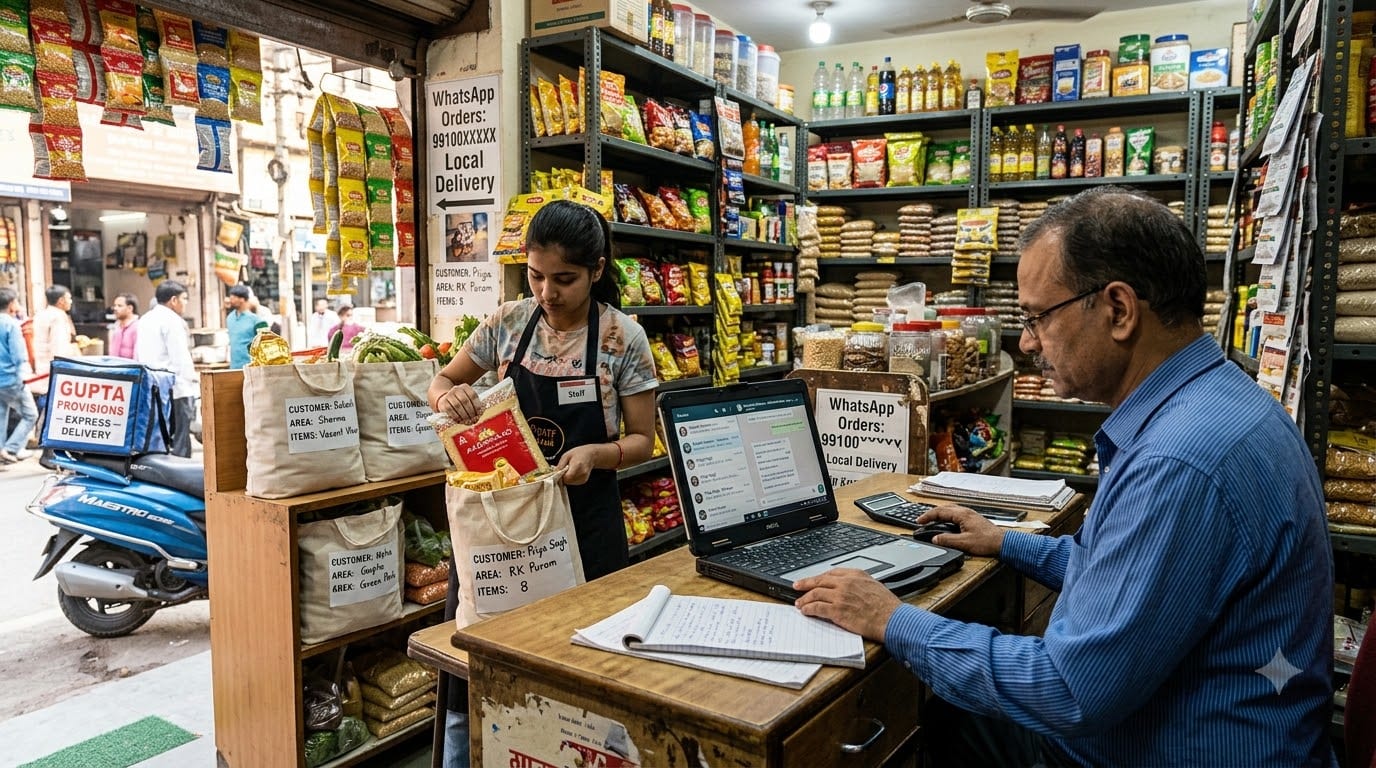
Local delivery can help a kirana store compete on convenience without trying to copy large quick-commerce platforms.
Start with a defined delivery area and clear rules:
- Minimum order value.
- Delivery charge, if applicable.
- Delivery timings.
- Order confirmation process.
- Replacement policy.
- Payment options.
- Area-wise delivery schedule.
You can begin with:
- WhatsApp orders.
- Phone orders.
- A simple digital product list.
- Local apartment groups.
- A dedicated delivery phone number.
As order volume grows, manual ordering can create errors. Customers may order products that are out of stock, staff may miss messages, and delivery status may become unclear.
Track:
- Order received.
- Stock confirmed.
- Order packed.
- Order dispatched.
- Payment received.
- Delivery completed.
- Replacement or complaint required.
A centralized digital system becomes more valuable when the store offers delivery, multiple ordering channels, or several outlets. Grocery businesses that move toward local delivery and multiple locations need central product, pricing, inventory, and order visibility.
6. Improve Supplier and Purchasing Control
Supplier management directly affects availability and profitability.
Review each supplier based on:
- Price.
- Delivery reliability.
- Credit terms.
- Minimum order quantity.
- Damaged-product policy.
- Expiry replacement.
- Promotional support.
- Invoice accuracy.
Do not depend completely on one supplier. Maintain alternatives for important categories so the store can continue operating when a distributor has delays or stock shortages.
Create a purchase process:
- Review current stock.
- Check recent sales.
- Identify low-stock products.
- Compare supplier prices.
- Create a purchase list.
- Confirm delivery date.
- Check goods on arrival.
- Record the purchase and payment due.
Track supplier performance each month. A supplier offering a slightly lower price may still be expensive if deliveries are late, products arrive damaged, or expiry replacement is difficult.
A Retail ERP can help connect purchase orders, goods received, supplier invoices, stock levels, and vendor payments. This reduces the need to maintain separate notebooks for purchasing and payment follow-up.
7. Protect Margins and Cash Flow
Grocery businesses often operate on relatively tight margins, and actual margins vary by category, supplier, location, and format. Industry references commonly place kirana margins across a broad range, with some categories offering much lower margins than others.
Do not judge growth only by sales. Track:
- Gross margin by category.
- Profit after rent and salaries.
- Delivery cost.
- Wastage and expiry loss.
- Customer credit outstanding.
- Vendor payment obligations.
- Cash available for restocking.
Set clear policies for:
- Customer credit limits.
- Payment due dates.
- Discounts.
- Damaged goods.
- Refunds.
- Vendor approvals.
- Purchase quantities.
A monthly finance review should answer:
- Are sales increasing profitably?
- Which categories are producing the best returns?
- How much money is stuck in inventory?
- Which customers have overdue credit?
- Which suppliers need payment?
- Can the store afford new equipment or another delivery worker?
Zopkit Finance can help organize invoices, supplier bills, purchase orders, payments, banking, cash flow, budgets, and financial reports, giving the owner better visibility into the store’s financial position.
8. Build Staff-Led Store Operations
Many kirana stores depend heavily on the owner. This becomes a bottleneck when sales, delivery orders, purchasing, and customer requests increase.
Define clear responsibilities for:
- Billing.
- Shelf replenishment.
- Stock receiving.
- Expiry checks.
- Delivery packing.
- Customer support.
- Cash closing.
- Supplier coordination.
Create simple checklists for:
- Store opening.
- Goods receiving.
- Shelf replenishment.
- Delivery packing.
- Closing and cash reconciliation.
- Weekly stock checks.
Train staff on:
- Customer service.
- Billing accuracy.
- Product handling.
- Digital payments.
- Delivery communication.
- Hygiene and safety.
- Complaint resolution.
Zopkit HRMS can help manage employee records, attendance, shifts, leave, payroll, and role information. Zopkit Academy can be used to create training modules for billing, customer service, store routines, and inventory handling.
Clear processes make the store less dependent on one person and prepare it for future expansion.
9. Use a Retail ERP to Organize Growth
As a kirana store grows, separate tools for billing, stock, suppliers, customer records, staff, and finance can create disconnected information.
A Retail ERP should help connect:
- Billing and POS.
- Inventory.
- Purchasing.
- Supplier records.
- Customer profiles.
- Delivery orders.
- Finance.
- Promotions.
- Staff operations.
- Store-level reporting.
Zopkit can support the broader business structure through:
- Zopkit CRM: Customer profiles, purchase preferences, loyalty segments, delivery details, and follow-ups.
- Zopkit Finance: Billing, supplier payments, expenses, cash flow, budgets, and profitability.
- Zopkit Project Management: Store changes, campaigns, delivery setup, audits, and expansion projects.
- Zopkit HRMS: Employees, attendance, shifts, payroll, and onboarding.
- Zopkit Academy: Training on store processes, customer service, billing, and inventory routines.
A connected system becomes especially useful when the store begins offering delivery, managing multiple staff members, adding another location, or planning a mini-supermarket format. Retail ERP systems are designed to connect billing, inventory, purchasing, accounting, supplier coordination, customer loyalty, and reporting.
10. Prepare for a Second Store or Larger Format
Once the first store has stable sales, predictable cash flow, reliable staff, and clear operating processes, you can consider expansion.
Possible growth paths include:
- A second neighborhood outlet.
- A larger mini-supermarket.
- A specialty organic or premium section.
- Local delivery across a wider area.
- Supply to offices or small restaurants.
- A private-label grocery range.
- Online ordering with multiple fulfillment locations.
Before expanding, confirm that:
- The first store can operate without constant owner presence.
- Stock and supplier data are accurate.
- Staff can follow the same routines.
- Customer and delivery records are organized.
- The first store generates enough cash to support expansion.
- You understand which products and locations create the best returns.
Treat every new outlet as a repeatable model, not a completely new experiment. Central product data, pricing, inventory, supplier records, and reporting make it easier to compare stores and identify what needs improvement.
Conclusion
Growing a grocery or kirana store business in India is about improving the fundamentals consistently. The most practical growth opportunities usually come from better inventory turnover, higher average bills, stronger customer loyalty, local delivery, supplier discipline, and clearer cash-flow control.
The store should become easier to shop in, easier to operate, and easier to measure. As staff, orders, suppliers, and locations increase, a Retail ERP and connected business systems can help the owner move away from memory-based management.
Zopkit provides a broader operating backbone across CRM, Finance, Project Management, HRMS, and Academy, helping a growing grocery business manage customers, money, work, people, and training in one structured environment. Learn more at zopkit.com.