How to Verify Whether a Software Is Truly DPDP Compliant: A Detailed Guide With Examples
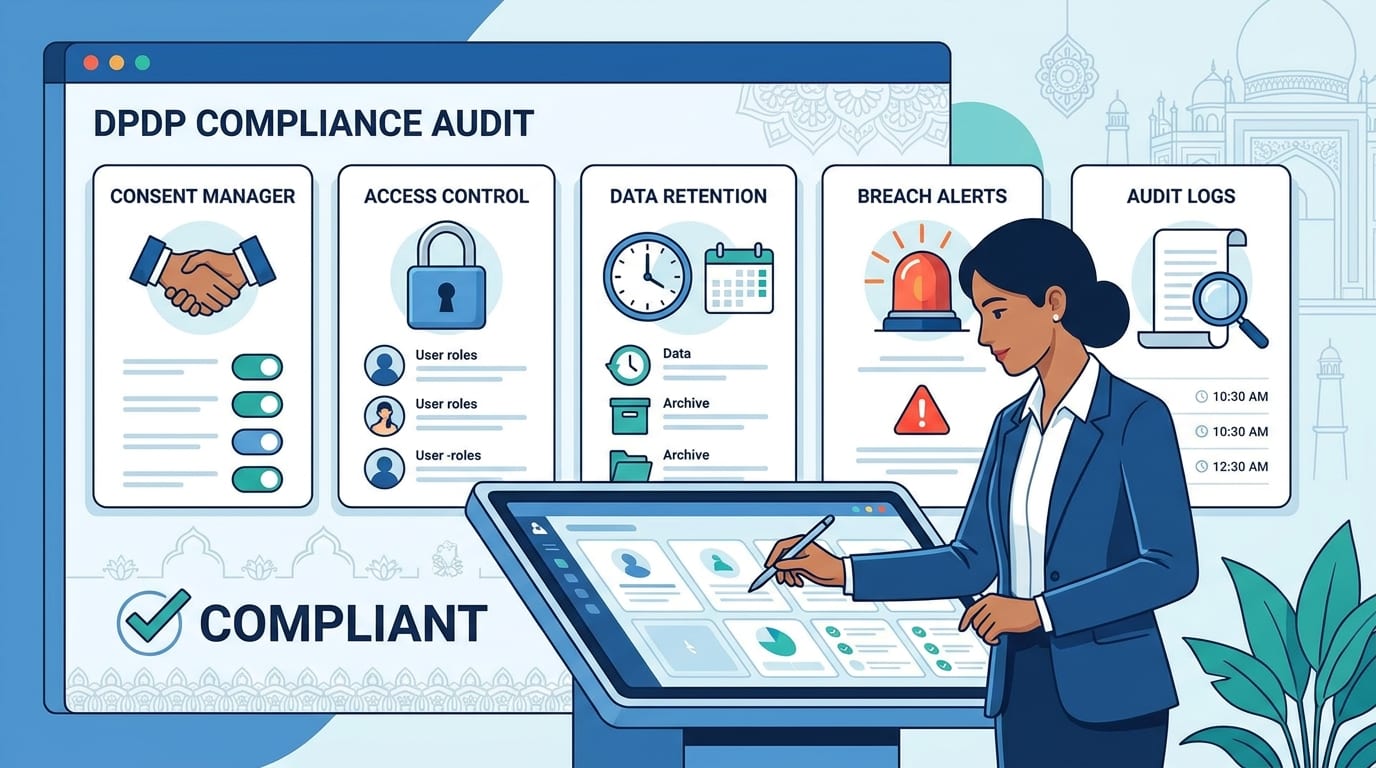
software compliance with India’s DPDP framework is not something you can judge from a vendor brochure. To validate a product properly, you need to check whether it supports clear notices, purpose-specific consent, access control, retention, erasure, breach response, and audit evidence in actual use.
The best approach is to test the software with real scenarios and compare its behavior against DPDP expectations. If it cannot prove how personal data is handled end to end, it is not truly ready for compliance.
Table of Contents
- What DPDP compliance means in software
- Why vendor claims are not enough
- What to check before approving software
- How to test software with examples
- Strong vs weak behavior examples
- Red flags to watch for
- Validation scorecard
- Conclusion
1) What DPDP compliance means in software
A DPDP-compliant software product should do more than store personal data securely. It should help the business process personal data lawfully, transparently, and with proper control across the full lifecycle.
That usually means the software must support:
- Clear, itemized privacy notices.
- Purpose-specific consent and withdrawal.
- Role-based access control and logging.
- Data retention and erasure rules.
- Breach detection, escalation, and reporting.
- Vendor and processor oversight.
If a system only offers encryption, that is not enough. Encryption is one control, but DPDP readiness is broader and includes governance, lifecycle control, and evidence.
2) Why vendor claims are not enough
Many software vendors use phrases like “privacy-ready,” “secure,” or “DPDP-aligned.” Those claims can be useful, but they do not prove compliance unless the software can demonstrate the required controls in practice.
A product may have strong security but still fail on privacy operations. For example, it might encrypt data but not support consent withdrawal, deletion workflows, or audit logging.
A product may also look compliant in the UI but hide gaps underneath. A checkbox on a form is not enough if the system cannot prove when consent was given, for what purpose, and how withdrawal is handled across connected tools.
What to be careful about
- Marketing claims without demonstrations.
- Privacy features that are not configurable.
- Manual workarounds hidden behind a clean UI.
- No evidence of logs, retention, or breach readiness.
3) What to check before approving software
Before approving a software product, ask a set of practical questions. These checks help you determine whether the product can support your DPDP responsibilities or whether you need compensating controls.
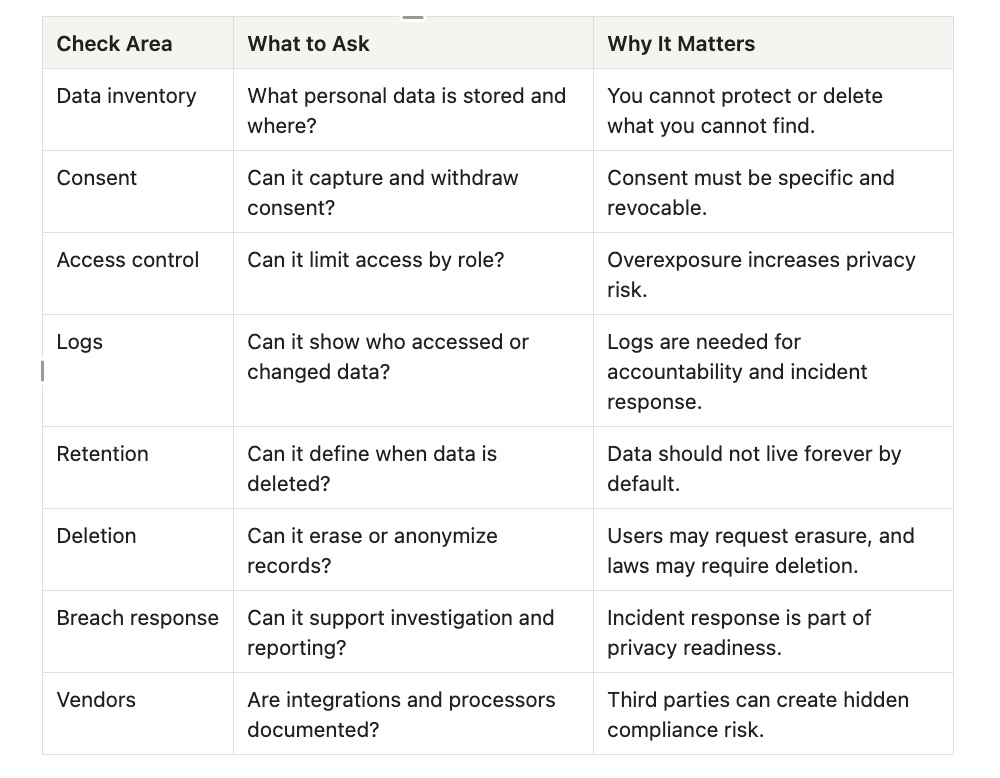
A strong software review should also include screenshots, demo walkthroughs, and documentation from the vendor.
4) How to test software with examples
The best way to validate software is to test it using real-world scenarios. This reveals whether controls exist in practice or whether they are just described in policy language.
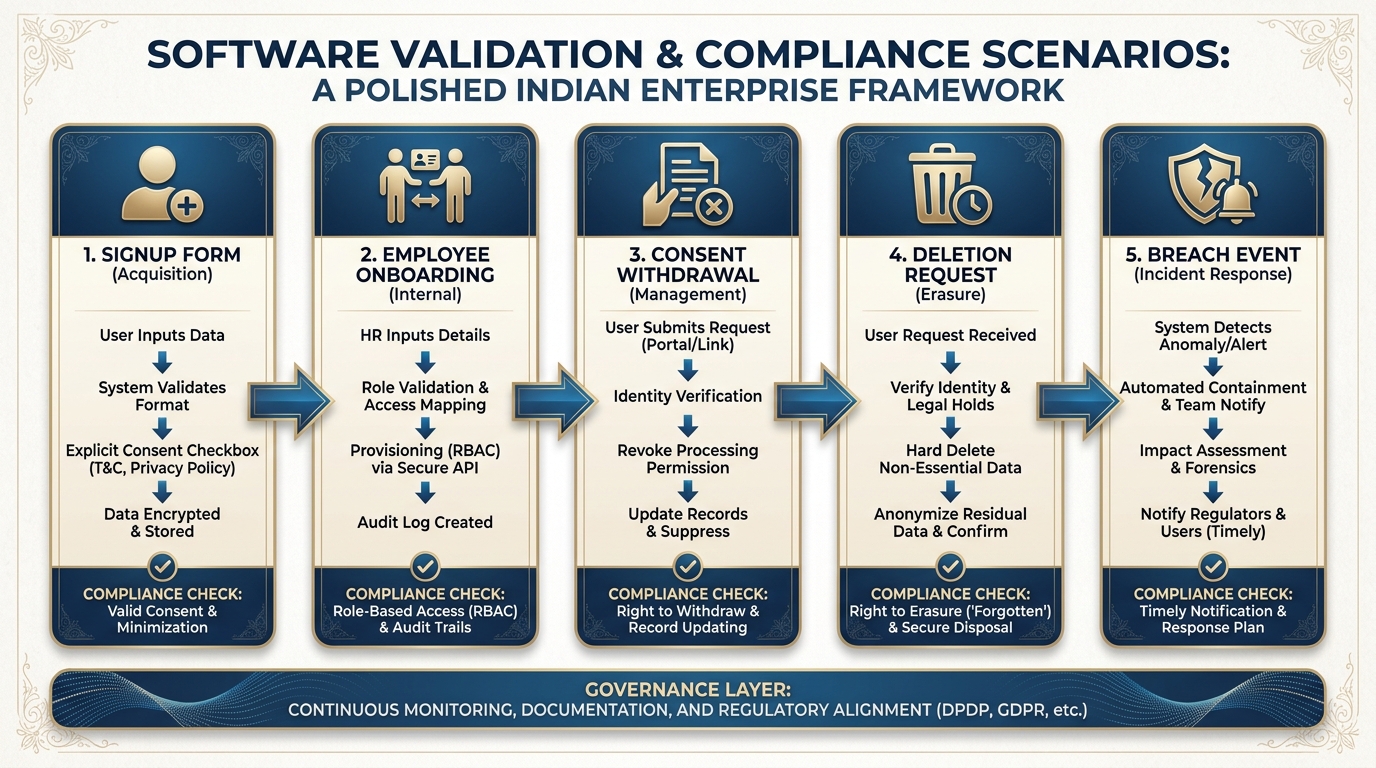
Example A: Customer signup form
If a prospect submits a CRM form, the software should show:
- A clear privacy notice.
- Purpose-specific consent options.
- Logging of the consent event.
- A way to separate marketing consent from service consent.
A weak system usually has one vague checkbox and no traceable consent history.
Example B: Employee onboarding in HRMS
If HR collects bank details, ID data, address, and family information, the software should:
- Restrict access by role.
- Log views and edits.
- Support retention rules for employee lifecycle data.
- Handle exit or offboarding deletion/archival logic.
A weak system often stores everything in one broad admin screen with no real access segmentation.
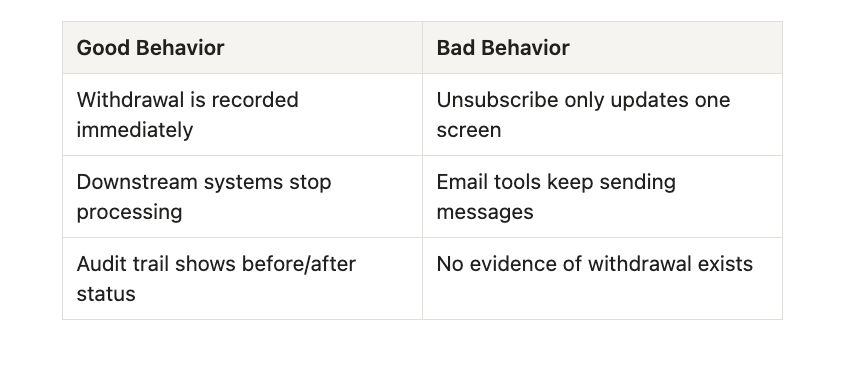
Example C: Consent withdrawal
A DPDP-ready system should allow a user to withdraw consent and trigger an operational update across downstream tools
Example D: Data deletion request
When a user asks for deletion, the system should:
- Identify affected records.
- Check whether any legal retention applies.
- Delete or anonymize the data where appropriate.
- Log the action for proof.
A weak system may delete one record visually while leaving copies in backups, exports, or linked systems.
Example E: Breach event
If an account is compromised, the software should help the business answer:
- What was accessed?.
- Which records were affected?.
- Were exports or transfers made?.
- What was the containment action?.
If logs are missing, you cannot reliably reconstruct the incident.
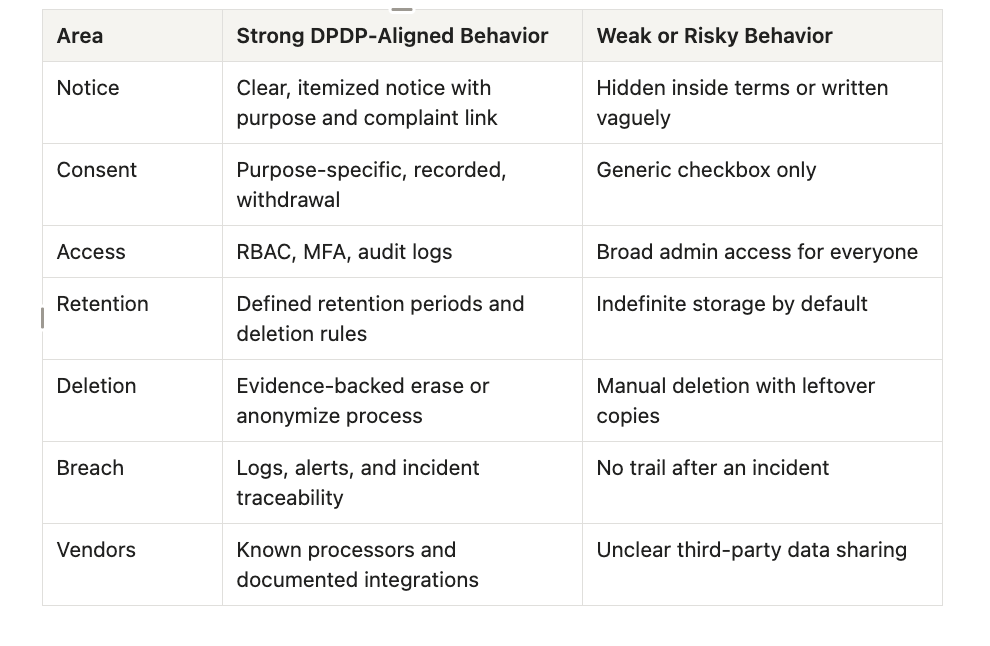
5) Strong vs weak behavior examples
This table makes the difference easy to see.
6) Red flags to watch for
When evaluating software, these red flags usually mean deeper problems:
- The vendor talks only about encryption.
- Consent can be captured but not withdrawn cleanly.
- There is no data retention or erasure control.
- Logs are limited or impossible to export.
- Integrations are undocumented or hidden.
- Children’s data or special categories are not handled carefully where relevant.
A product with several of these issues should be treated as high risk until the gaps are fixed.
7) Validation scorecard
Use this simple scorecard to rate any software before approval.
- 0 = Not supported.
- 1 = Partially supported or manual workaround needed.
- 2 = Fully supported and demonstrable.
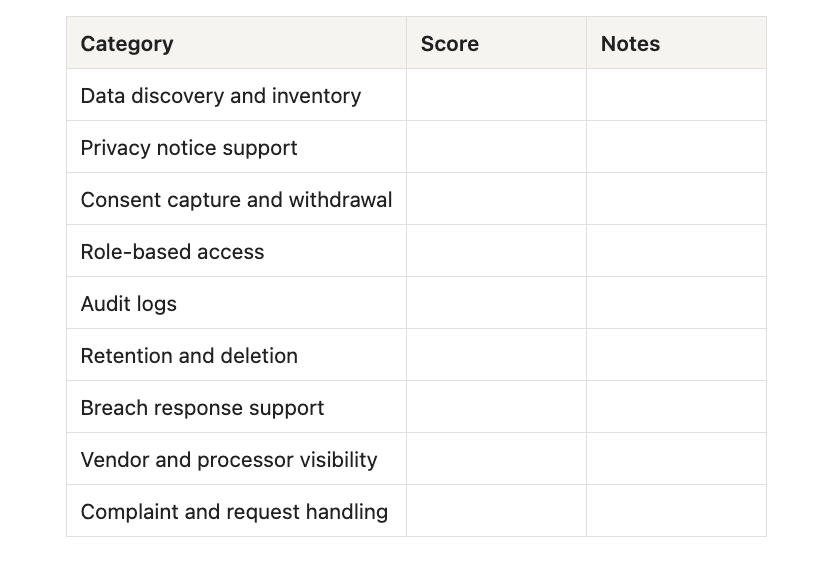
A product with multiple zeroes in core categories should not be approved as DPDP-ready without remediation.

8) Conclusion
The only reliable way to validate software for DPDP compliance is to test how it handles real personal data across the full lifecycle. That means looking at consent, access, logs, retention, deletion, breach readiness, and processor governance in actual workflows — not just in brochures or sales demos.
If the software can clearly demonstrate those controls, it is far closer to being genuinely DPDP-ready. If it cannot, the organization should treat it as a compliance gap that needs redesign, vendor changes, or compensating controls.
visit zopkit.com